Retail EAS Data: A Guide to Analysis and Profit
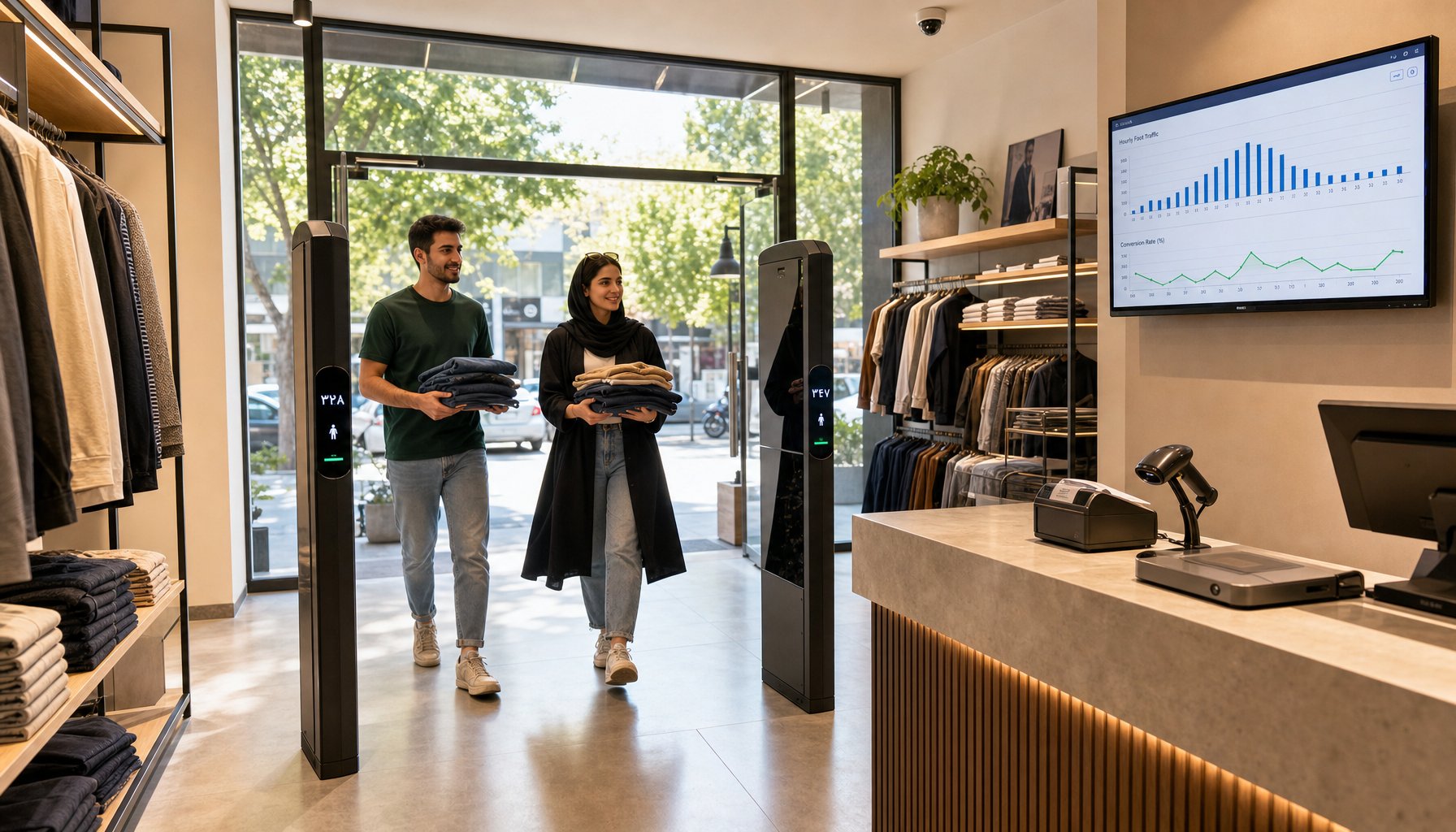
Most retailers treat a retail anti-theft system as nothing more than a deterrent: mount the gates by the entrance, tag the merchandise, and wait for the day the alarm finally goes off. The reality is that every customer who walks between those pedestals, every alarm, every tag left on at the till and every barcode scanned is a data record. Collect and analyse those records and you have one of the cheapest sources of decision-making intelligence in all of retail.
In this article, Vista Gate breaks down exactly what EAS system data consists of, how to get it out of the hardware, and how to use it to cut shrinkage, improve store layout, staff the floor properly and — ultimately — grow profit.
What data does a retail EAS system actually produce?
Modern anti-theft gates — whether AM (acousto-magnetic) or RF (radio frequency) — are far more than a speaker and an antenna. Their control board can log events, and on professional models those events are exposed over a network output or a serial port. The data that is genuinely usable in practice:
- People counting: how many people entered or exited, broken down by hour and by day.
- Alarm events: the date, time and which pedestal or antenna triggered.
- Direction of travel: on gates fitted with directional sensors, whether the alarm happened on the way in or on the way out.
- Ambient noise level: an indicator of whether electromagnetic interference is eating into your detection range.
- Device health: power loss, antenna failure, voltage drop.
Combine that with your POS data, your barcode scanner and your CCTV footage, and you get a complete picture of both customer behaviour and the operational weak spots in your store.
Metric one: visitor-to-buyer conversion rate
The single most valuable number to come out of retail gate data is conversion rate. The formula is simple:
Conversion rate = (number of transactions ÷ number of visitors) × 100
Say that in an apparel store, the gates logged 840 visitors on Saturday and the till issued 126 receipts. Your conversion rate is 15 percent. Now, if that same figure is 28 percent on Monday, the right question is not "why were Saturday's sales weak?" — sales weren't weak. Traffic was heavy and it simply didn't convert. The cause is usually one of three things: too few staff during the rush, a queue at the till, or gaps in your size runs.
Without a people counter you only ever see the sales figure, and you never find out how many opportunities walked back out the door.
Sample weekly analysis
| Day | Visitors | Transactions | Conversion | Recommended action |
|---|---|---|---|---|
| Monday | 310 | 87 | 28% | Healthy — no action |
| Wednesday | 295 | 74 | 25% | Keep monitoring |
| Friday | 520 | 91 | 17% | Add one sales associate |
| Saturday | 840 | 126 | 15% | Second till + extra floor cover |
Metric two: alarm analysis and spotting theft patterns
Every alarm is a data point, but the real value lies in the pattern of alarms, not in any single one. Plot three months of alarm logs on an hourly chart and one of these patterns usually emerges:
- Clustering during quiet hours: if most alarms land between 1pm and 3pm, professional shoplifters have worked out exactly when your floor is thinnest.
- Clustering at one specific gate: that points to a preferred escape route or a camera blind spot.
- Exit alarms with no matching transaction: the strongest single indicator of genuine theft.
- Repeat alarms on one product category: that category needs upgrading to a hard tag or a security safer box.
In cosmetics stores and pharmacy chains, more than 60 percent of shrinkage typically comes from under 10 percent of SKUs. Alarm analysis tells you precisely which 10 percent, so you can spend your tagging budget where it actually pays back.
Metric three: false alarms and their hidden cost
A false alarm isn't just annoying. Over time it trains your staff to ignore the gate entirely, and that indifference effectively switches the whole system off. Once you're logging events, you can measure your false alarm rate:
False alarm rate = (alarms with no tagged item ÷ total alarms) × 100
If that number is above 20 percent, one of the following is wrong:
- Labels not fully deactivating at the till (faulty deactivator, or the wrong working distance).
- Electromagnetic interference from a distribution board, a refrigeration unit, or cheap LED lighting near the gates.
- Over-tuned sensitivity following a service visit.
- Tagged stock from the shop next door passing your entrance, common in malls.
Each of these has a specific technical fix, and the engineers at vista-eas.com can usually pinpoint the interference source in under an hour with a single site visit and a gate log pull.
Metric four: merging gate data with POS and CCTV
The real power is unlocked when you line up all three data sources. A practical scenario:
- The gate alarms at 14:32.
- The POS shows that no transaction was rung up between 14:25 and 14:35.
- A timestamp search on the CCTV system pulls up exactly those 30 seconds of footage.
Instead of scrubbing through hours of video, you have evidence in seconds. For this to work, the clocks on every device — the gates, the POS, the thermal receipt printer and the camera NVR — must be synced to a single time source. It's the simplest step in the whole implementation, and by far the most commonly forgotten.
From data to decisions: four immediate commercial uses
1. Rota planning based on real traffic
An hourly footfall chart tells you when your store's peak genuinely is. Plenty of retailers schedule staff on gut feel and then discover the real peak sits two hours later than they assumed.
2. Measuring the impact of advertising
Running an Instagram campaign or a seasonal promotion? A lift in footfall means the ad worked. Flat footfall means the message never landed. Separating a "traffic problem" from a "selling problem" is impossible without a people counter.
3. Evaluating sales staff fairly
Once you know how many people walked in during each associate's shift, you can calculate individual conversion rates — a far fairer measure than raw sales value.
4. Layout and window display decisions
High footfall with short dwell time usually means the problem is your window display or the customer flow path through the store — not your prices.
How to get started: a practical roadmap
- Step one: Check whether your current gates support people counting and event logging. Many AM and RF models can be upgraded with a single add-on module.
- Step two: Sync the clocks on every device.
- Step three: Keep one simple daily record: footfall, transactions, total alarms, genuine alarms.
- Step four: Run your first analysis after four weeks. Less than a month of data won't show you a pattern.
- Step five: Adjust your tagging and your rota based on what you find, then measure again.
One important note: you don't need to buy expensive software on day one. A spreadsheet and a bit of daily discipline will teach you more in the first month than any dashboard.
Common mistakes when using EAS data
- Judging on too little data: one alarm-heavy week isn't a crime wave — your deactivator may simply have failed.
- Ignoring seasonality: comparing December against July without accounting for the season will wreck your conclusions.
- Using the data to punish staff: the result is manipulated numbers and lost trust. Data is an improvement tool, not a gotcha.
- Not recording the alarm outcome: if nobody notes whether an alarm was genuine or false, the entire dataset is worthless.
Talk to a specialist
If you want to know whether your existing gates can log events and count footfall, or you're looking to upgrade to an EAS system with proper reporting output, the Vista Gate team is ready to assess your store free of charge. Alongside AM and RF anti-theft gates, we supply tags and labels, barcode scanners, thermal printers, CCTV systems, laptop locks and security safer boxes — all with a full warranty.
Get in touch today via vista-eas.com and we'll recommend the right setup for your floor space, your product mix and your budget — the consultation and initial site visit are completely free.