EAS Gate Calibration: A Step-by-Step Guide
The most common complaint we hear from retailers is one of two sentences: "our gate alarms for no reason and scares customers off" or "a tag walks right past the gate and nothing happens". In our installation and service experience, in more than 80 percent of these cases the hardware is perfectly healthy and the problem comes down to nothing more than EAS gate calibration. Calibration is not a one-time job you do on installation day. Every time the store layout changes, a new cooler or checkout counter goes in, or even the ceiling lights get swapped out, the electromagnetic conditions at the entrance change and the gate needs to be retuned.
In this guide we walk through the complete process of tuning and calibrating AM and RF anti-theft gates, step by step: from understanding the ambient noise floor to the final acceptance test and a routine service schedule.
What is EAS gate calibration and why does it matter so much?
An anti-theft gate has a transmitter antenna and a receiver antenna. The transmitter continuously creates a weak magnetic field in the space between the two pedestals, and the receiver listens for a very specific echo coming back from a tag or label. The catch is that the receiver doesn't only hear the tag. Mains noise, escalator motor drives, the POS monitor, cheap LED lighting and even a customer's phone charger all put energy into the same part of the spectrum.
Calibration means finding the balance point between two kinds of error:
- False positives: the gate reacts to noise and alarms for no reason. The result is that staff stop trusting it. After a few days the cashier ignores the alarm entirely and the system becomes useless in practice.
- False negatives: sensitivity has been dialled down so far that even a genuine tag goes undetected. This is the more dangerous state, because the store believes it is protected when it isn't.
The goal of proper calibration is a detection rate above 95 percent for hard tags and fewer than one false alarm per 100 passes.
Before you touch sensitivity: understand your noise environment
The big mistake inexperienced technicians make is going straight for the sensitivity control. The right approach is to clean up the environment first and tune the equipment second. If you don't bring the ambient noise down, whatever number you set on the board is just a bad compromise.
Common sources of interference in retail stores
- POS monitors and checkout counters: keep at least 1 metre from the gate pedestal.
- Display fridges and freezers: the compressor throws off a sharp pulse when it kicks in; allow at least 1.5 metres.
- Distribution boards and power cabling: heavy power cable should never run parallel to and near the gate cabling.
- Metal structures and roller shutters: metal door frames, shutter rails and aluminium framing should sit at least 30 centimetres away from the pedestal.
- Poor-quality LED lighting: a cheap driver is one of the most frequent causes of overnight alarms.
- Metal baskets and shopping trolleys: move the trolley bay away from the gate aisle.
Once the environment is cleaned up, check the earth. Ground resistance should be under 4 ohms, and the gate's earth should not be shared with the plant room's distribution board. A great many faults that get sent to us as a "dead control board" turn out to be fixed by correcting the earth.
The difference between calibrating an AM gate and an RF gate
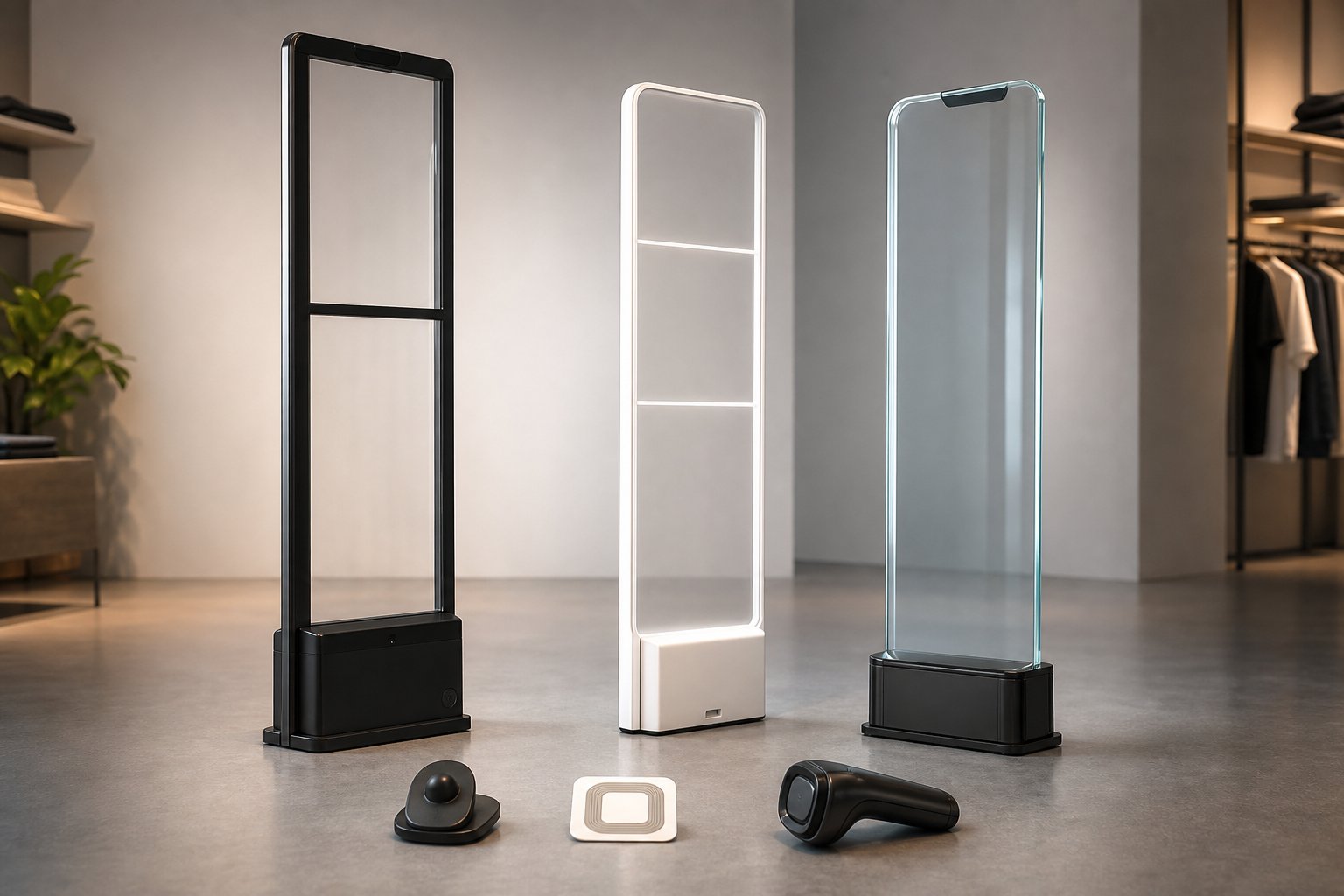
The tuning procedure for these two technologies is not the same, and applying one set of instructions to the other produces nothing but false alarms. The table below shows the key differences:
| Feature | AM gate (acousto-magnetic) | RF gate (radio frequency) |
|---|---|---|
| Operating frequency | 58 kHz | 8.2 MHz |
| Maximum aisle width | up to around 180 cm | up to around 140 cm |
| Sensitivity to metal | Low | High |
| Key calibration point | Phase synchronisation between pedestals | Precise frequency tuning and antenna balance |
| Best suited to | Supermarkets, hypermarkets, pharmacies | Apparel, bags and shoes, cosmetics |
On AM gates, synchronising with the mains frequency matters a great deal. Iran's grid runs at 50 Hz; if the DIP switch or the board's software setting has been left at 60 Hz, the gate will alarm for no reason during peak demand hours. This is an extremely common oversight on imported units. The AM and RF models supplied through vista-eas.com are pre-configured for the Iranian grid, but this needs to be re-checked after any board replacement or relocation.
How to calibrate an EAS gate, step by step
Steps one to four: preparation and groundwork
- Step 1 – Record the starting state: before you change a single setting, write down or photograph the current sensitivity, gain and channel number so you can roll back if things get worse.
- Step 2 – Read the background noise: most control boards have a numeric display or monitoring software that shows the ambient noise level. Watch that number for a few minutes during the store's busy period and note the highest reading. That number is your baseline.
- Step 3 – Synchronise the pedestals: if you have more than one gate aisle, every pedestal must be tied together with a sync cable or configured as master/slave. Two unsynchronised gates less than 5 metres apart will blind each other.
- Step 4 – Alignment and mechanical spacing: the two pedestals must be perfectly parallel and plumb. A deviation of just a few degrees dramatically reduces coverage at low height.
Steps five to eight: setting sensitivity and thresholds
- Step 5 – Raise sensitivity in steps: start receiver gain at its lowest value and step it up until the first false alarm occurs. Then back off by roughly 10 to 20 percent. That is your safe working point.
- Step 6 – Set the pulse count: most boards have a parameter that decides how many valid echoes must be seen in a row before the alarm triggers. A value of 2 or 3 usually strikes a good balance between reaction speed and noise rejection.
- Step 7 – Set alarm duration and type: set the alarm time to 2 or 3 seconds. A long alarm drags the next customer into the tension as well.
- Step 8 – Lock in and save: save the settings, power the unit off and back on, and confirm the values survived the restart.
The acceptance test: how do you know the calibration is right?
Calibration without testing is guesswork. Our standard test at Vista Gate runs like this:
- Height test: pass a tag through at five heights — near the floor, knee, waist, chest and above the head. The weakest zones are usually floor level and overhead.
- Orientation test: repeat each height in three orientations: horizontal, vertical and at 45 degrees. Hard shell tags are more responsive when held horizontally.
- Speed test: walk through once at normal pace and once at a run. A fast pass exposes a badly set pulse count.
- Negative test: walk through the gate 20 times carrying no tag at all; you should not hear a single alarm.
- Soft label test: test a paper label on a box, on a bottle of liquid and next to aluminium foil separately, because liquids and metal shrink the detection range.
Pass criteria: at least 95 percent detection for hard tags and at least 85 percent for soft labels. If soft labels aren't hitting that number, check the quality of the labels themselves before you go back into the board; cheap labels on the market often use poor foil. Standard label rolls and hard tags can be ordered from the product listings at vista-eas.com.
Common gate tuning problems and how to fix them
| Symptom | Likely cause | Fix |
|---|---|---|
| Alarms at a specific time of day | Refrigeration or lighting switching on | Separate the power circuit and check the earth |
| Alarms only when the powered door opens | Motor noise and no filtering | Fit an EMI filter on the gate's power supply |
| Good detection up high, weak near the floor | Pedestals out of alignment or metal in the floor | Re-level mechanically and raise the gain on the lowest antenna |
| Both pedestals healthy but detection range is short | Adjacent gates out of sync | Run the sync cable and assign a master |
| Soft labels missed while hard tags read fine | Sensitivity too low or poor-quality labels | Raise gain in a controlled way and change the label roll |
Routine service and recalibration schedule
Even the best calibration doesn't hold forever. Here's what we recommend:
- Daily: before opening, the cashier passes a test tag through the gate. It takes 10 seconds and it prevents whole days of running unprotected.
- Monthly: check the noise level and clean the pedestal surfaces and connections.
- Every 6 months: full calibration by a technician, including height and orientation testing.
- Immediately after any change: moving the checkout, installing a new fridge, changing the lighting or reworking the entrance layout.
One closing point: an EAS gate is only one layer of store security. Combining it with a CCTV camera above the entrance, a handheld detector for inspections and proper staff training multiplies the deterrent effect several times over.
Need professional calibration?
If your store's gate alarms for no reason, misses tags, or hasn't been serviced once since the day it was installed, the specialists at Vista Gate can assess it for you. We both calibrate and service existing gates and supply AM and RF gates, hard tags, soft labels, detectors and retail equipment with a warranty. For free advice and pricing, get in touch now or fill in the consultation request form at vista-eas.com and we'll call you back within one working day.